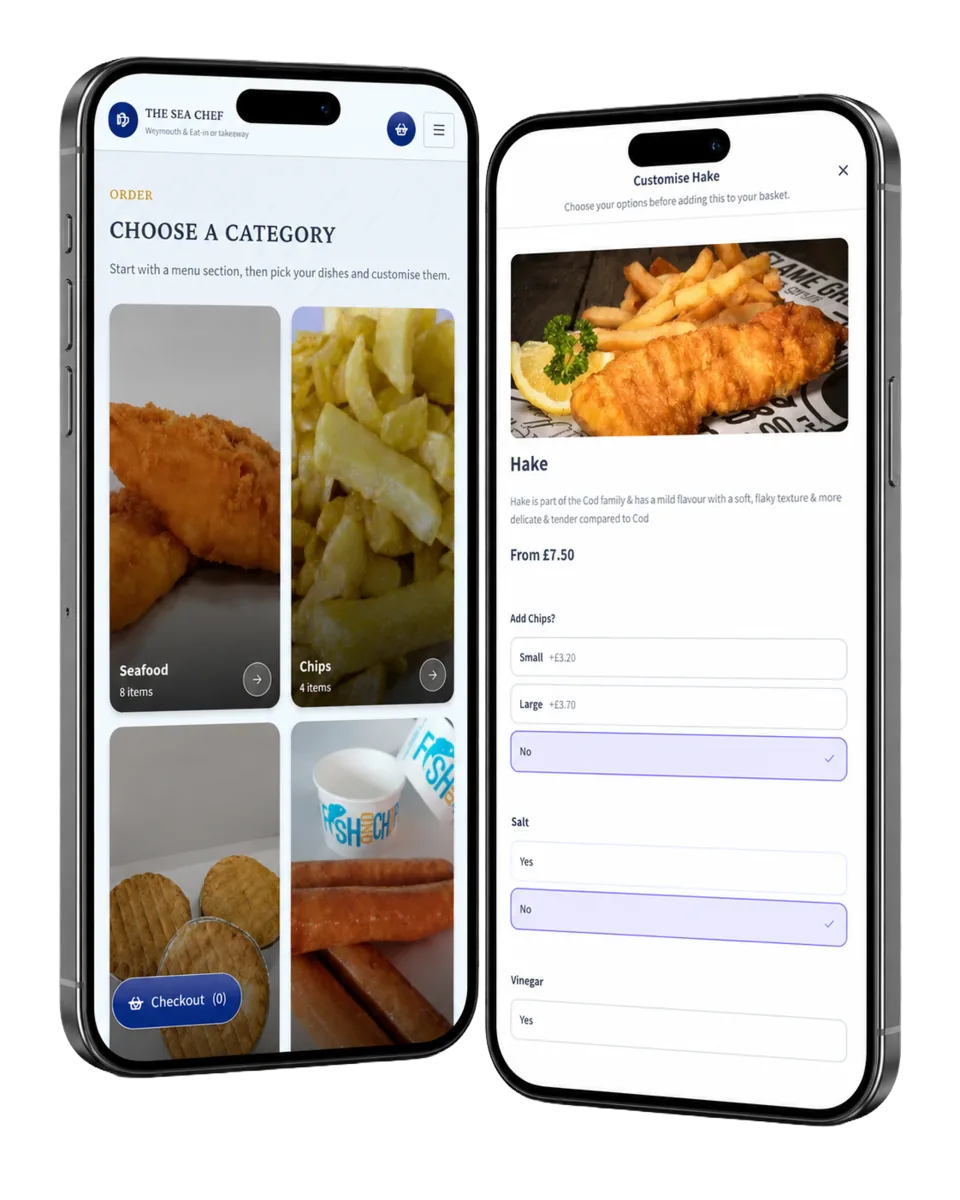
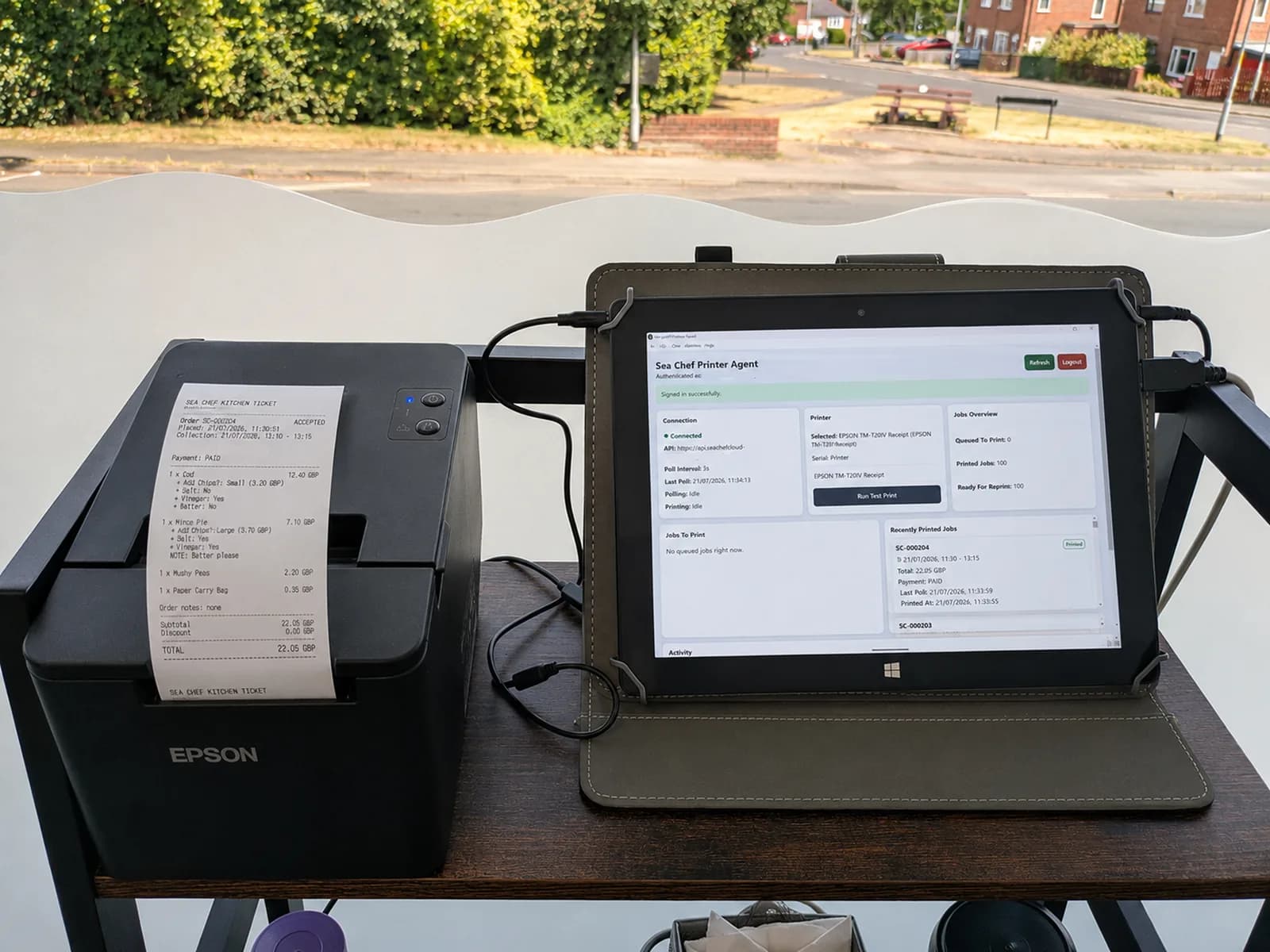
Custom software development built around how your business works

Off-the-shelf software is useful when it fits. When it does not, teams often end up filling the gaps with spreadsheets, repeated admin and awkward workarounds. We design and develop bespoke software around the real process, the people using it and the systems it needs to connect with.

  • Software planned around real workflows rather than a fixed product.
  • Interfaces, permissions and data designed for the people who use them.
  • Clear delivery stages so the system can be reviewed as it takes shape.
Bespoke software development

Software that saves your team time

Most businesses already use software. The problem is often that the tools do not quite match what the business needs to do.

A team might be copying information between systems, relying on one large spreadsheet, manually sending the same updates, keeping important details in email threads or paying for several products just to cover one process. Customers may be dealing with the same gaps through slow forms, repeated questions or journeys that stop halfway through.

Custom software development is about looking at those problems properly before deciding what to build. Sometimes the answer is a small internal tool. Sometimes it is a customer portal, booking system, web application or a larger platform with several different users and workflows.

The important part is that the software has a clear job. It should make a process easier to understand, easier to manage and less dependent on manual work.

When is bespoke software worth considering?

Building software from scratch is not automatically better than buying an existing product. If an established tool already does the job well, using it will usually be quicker and cheaper.

Bespoke software becomes useful when the gaps between standard tools are starting to cost time, create mistakes or limit what the business can do.

Your process does not fit standard software

Some businesses work in a way that is specific to their service, customers, team or industry. A generic CRM, booking system or project management tool may cover part of the process but leave important steps outside it.

Custom software can bring those steps into one clearer workflow rather than forcing the business to change a useful process simply because a product was designed for somebody else.

Too much work is still manual

Repeated admin is a common sign that a process could be improved. Staff may be copying details from a form into another system, creating the same documents by hand, checking several places for an update or sending routine messages one at a time.

Not every manual task needs automation, but the repetitive parts can often be handled by software while keeping people in control of the decisions that need judgement.

Important information is spread across different places

When customer details, jobs, payments, documents and notes live in separate systems, it becomes harder to see what is happening. A custom system can create one useful view of the data or connect existing tools so information moves between them more reliably.

Customers or staff need a better journey

Sometimes the problem is not the back-office process itself. The people using it may simply need a clearer way to complete a task, check progress, submit information, manage an account or take the next action.

That may lead to a customer portal, internal dashboard, web application or mobile app rather than a traditional public website.

An existing system has become difficult to maintain

Older software can continue doing an important job long after the technology around it has changed. If a system is becoming unreliable, hard to extend or dependent on knowledge held by one person, a planned replacement can reduce that risk.

We can review what the existing software does, identify what still matters and plan a staged route to a newer system instead of assuming everything needs to be replaced at once.

What goes into custom software development?

A working application is more than the screens somebody clicks through. The visible interface sits on top of decisions about data, permissions, integrations, business rules, security, performance and how the software will be maintained after launch.

Planning

Discovery and process mapping

We start with the problem rather than the technology. That means understanding who uses the current process, what happens at each stage, where information comes from, where delays occur and what people are doing outside the existing system to make it work.

This is also where we challenge unnecessary complexity. Rebuilding every old step in a new system can reproduce the same problems with a newer interface. The aim is to understand which parts genuinely need to stay and which can be simplified.

Requirements and project scope

Once the workflow is understood, we turn it into a practical scope. This sets out the users, key journeys, important rules, integrations and the first version of the system.

Larger ideas are usually easier to manage when they are split into stages. The first release should solve a useful problem without trying to include every possible future feature. Later phases can then be based on how people actually use the software.

User experience and interface design

Business software still needs good user experience. Staff should be able to find the right job, customer or action quickly. Customers should understand what is expected of them. Admin areas should not require technical knowledge for routine work.

We plan screens around the task somebody is trying to complete, then use clear navigation, forms, status information, feedback and sensible defaults to make that task easier.

Engineering

Data and system structure

Behind the interface, the application needs a clear way to store and relate its data. Customers, orders, jobs, bookings, products, documents and payments may all connect to one another in different ways.

Planning this structure properly matters because it affects reporting, integrations, permissions and how easily the system can be extended later. Good software should not become fragile as more records, users or features are added.

User accounts, roles and permissions

Different users often need different access. A customer may only see their own account. A member of staff may manage work for one location. A manager may need reporting across a whole team. An administrator may need additional controls.

We define those roles as part of the system rather than relying on everybody having the same level of access. Where appropriate, that can also include secure sign-in flows, password reset, account verification and other authentication requirements.

Front-end and back-end development

The front end is the part people interact with. The back end handles data, business rules, permissions, integrations and the work that happens when somebody submits a request or completes an action.

Both parts need to be designed together. A simple-looking button may need to check availability, update several records, take a payment, create a task and send notifications behind the scenes. The software should make that complexity feel straightforward to the person using it.

Delivery

APIs and integrations

A new system rarely exists on its own. It may need to work with payment providers, accounting software, CRMs, email services, maps, stock systems, calendars, delivery services or industry-specific platforms.

Where suitable APIs are available, we can connect these services so information can move between them without somebody repeatedly entering the same details. We also plan for failures and edge cases, because an integration needs to behave sensibly when an external service is slow or unavailable.

Automation and background work

Some tasks should happen without making a user wait on a screen. That might include generating documents, processing imports, sending reminders, synchronising data, preparing reports or running scheduled checks.

These jobs can be handled in the background and monitored separately from the main user journey. For wider workflow work that mainly connects existing tools rather than building a new application, our business systems and automation service may be the better fit.

Explore business systems and automation

Testing, launch and monitoring

Software needs to work when the expected path changes. We test the important journeys, permissions, validation, calculations and integrations rather than only checking whether each screen loads.

The exact testing approach depends on the project, but it can include automated tests, browser testing, API checks and manual review with realistic data. Your own acceptance testing is also important because the people who understand the real process will notice details that a generic test cannot.

Going live may involve more than deploying code. Existing users may need accounts, old records may need to be moved, integrations may need live credentials and staff may need a clear plan for changing from the old process to the new one.

We prepare that transition as part of the project. After launch, monitoring and error reporting help show whether the application is behaving as expected and where something needs attention.

What sits behind the screen

The interface is only one layer. Useful software connects the people using it with clear rules, reliable data and the other services the process depends on.

  1. Users

    Customer / staff / admin

  2. Interface

    Web or mobile

  3. Application rules

    Logic and permissions

  4. Data

    Database and files

  5. Connected services

    Payments / CRM / email / APIs

We work across the full web stack.

The right technologies depend on the users, workflows, data, integrations and future changes the system needs to support. We choose the stack around the job rather than shaping the job around a framework.

  • Angular
  • Babel
  • HTML5
  • Nuxt
  • React
  • Solid
  • Svelte
  • TypeScript
  • AdonisJS
  • Deno
  • .NET
  • FastAPI
  • Flask
  • Laravel
  • NGINX
  • Postman
  • Ruby on Rails
  • Spring
  • Symfony
  • Amazon DynamoDB
  • MariaDB
  • MySQL
  • PostgreSQL
  • Redis
  • Supabase
  • Android Studio
  • App Store
  • Flutter
  • Google Play
  • Xcode
  • Argo
  • Cloudflare
  • DigitalOcean
  • Git
  • GitHub Actions
  • Grafana
  • Kubernetes
  • Railway
  • Terraform
  • Apple Pay
  • Framer
  • Joomla
  • Magento
  • PayPal
  • Square
  • Strapi
  • Umbraco
  • Webflow
  • WooCommerce
  • Databricks
  • Hugging Face
  • n8n
  • TensorFlow
  • ClickUp
  • Google Analytics
  • Algolia
  • Mailgun
  • Twilio
  • Jest
  • Puppeteer
  • Vitest
  • Astro
  • GraphQL
  • Next.js
  • Radix UI
  • Redux
  • Storybook
  • Tailwind CSS
  • Vite
  • Apache
  • Django
  • Express
  • Fastify
  • Kotlin
  • NestJS
  • PHP
  • Python
  • Rust
  • Swagger
  • Drizzle
  • Elasticsearch
  • MongoDB
  • Neo4j
  • Prisma
  • SQLite
  • Android
  • Apple
  • Expo
  • Godot Engine
  • Swift
  • Amazon Web Services
  • Microsoft Azure
  • Datadog
  • Docker
  • GitHub
  • Google Cloud
  • Jenkins
  • PostHog
  • Sentry
  • Vercel
  • Drupal
  • Google Pay
  • Klarna
  • MasterCard
  • Shopify
  • Squarespace
  • Stripe
  • Visa
  • Wix
  • WordPress
  • ElevenLabs
  • Model Context Protocol
  • Ollama
  • Zapier
  • Figma
  • Linear
  • MailChimp
  • Resend
  • Cypress
  • Playwright
  • Selenium

Software can take different shapes

“Custom software” covers a wide range of projects. The right form depends on who needs to use it and what the system needs to achieve.

Internal business systems

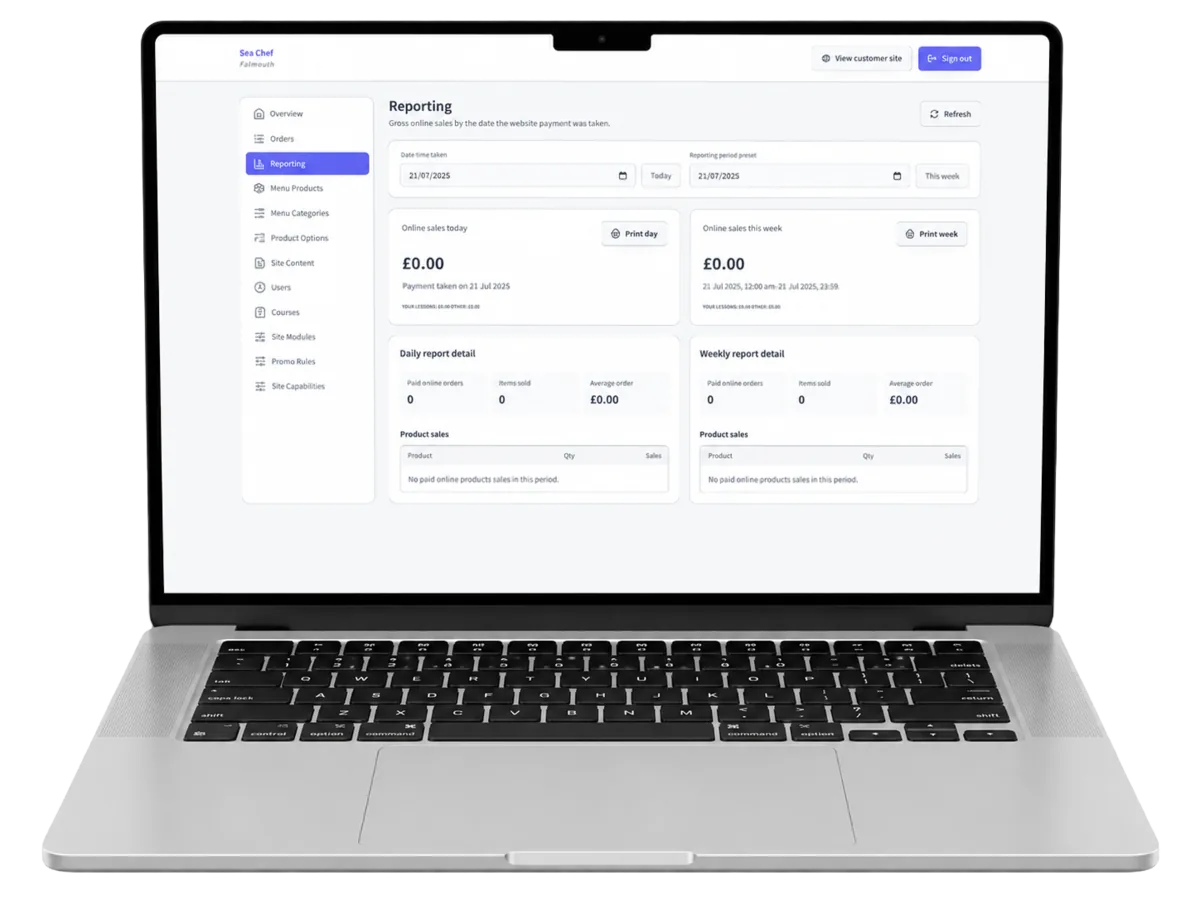
An internal system can bring jobs, customers, tasks, documents, notes or operational data into one place. It might replace a spreadsheet-heavy process or sit between several tools the business already relies on.

These systems are usually designed around speed and clarity for staff rather than public marketing. Dashboards, search, filters, permissions, reporting and reliable workflows often matter more than visual effects.

Customer portals

A portal gives customers a secure place to do things that would otherwise require an email or phone call. They might submit information, upload documents, manage details, see the progress of a job, view invoices or take the next action.

For projects where this is the main requirement, see our customer portals and internal tools service.

Explore customer portals and internal tools

Web applications

A web application runs in the browser but behaves more like software than a normal marketing website. It can support accounts, live data, workflows, dashboards, calculations and other interactive features.

For browser-based products and application journeys, see our custom web application development service.

Explore custom web application development

Booking and scheduling systems

A custom booking system can be useful when availability is affected by staff, locations, capacity, travel, buffers, equipment or other rules that a standard calendar does not handle well.

The software can manage the booking journey alongside the work that happens after a booking is made. See our booking systems service for more detail.

Explore custom booking systems

SaaS products and new software ideas

If you are building software that will itself become a product, the early decisions matter. User roles, account structure, subscriptions, onboarding, administration and the boundaries of the first release all affect how difficult the product will be to grow later.

We can help turn an early idea into a sensible first version without pretending every feature belongs in the initial launch.

Mobile applications

Some services need a dedicated iOS or Android experience, particularly where the software is used regularly away from a desk or needs closer access to mobile features.

A mobile app may use the same back-end system and data as a web application or admin area. See our mobile app development service for projects where the phone experience is central.

Explore mobile app development

Integrations and focused custom tools

Not every problem needs a large new platform. A smaller piece of software may be enough to connect two systems, automate a calculation, generate a document, process data or give a team a better interface for one important task.

Smaller, focused tools can often deliver the most useful improvement because they solve a clear problem without replacing systems that are already working well.

Built to last

Technology choices matter, but they should come after the requirements are understood. Choosing a framework first and then shaping the project around it can create unnecessary limits.

We look at the type of application, expected users, integrations, data, security needs, hosting and future changes before deciding how the system should be built. The aim is maintainable software with a clear structure rather than an impressive list of technologies.

Security and access

Security needs to be considered throughout the application. That includes how users sign in, what each role is allowed to see or change, how sensitive information is handled and how requests to the system are validated.

No application can honestly be described as risk-free, but sensible engineering reduces avoidable problems. Security updates, dependency management, backups, logging and access controls all form part of maintaining a production system.

Performance and reliability

A system should remain usable as data and activity grow. Database queries, file handling, integrations and background jobs all affect performance, not just the speed of the visible page.

We design the application so common tasks are efficient and so slower work can be moved away from the main request where appropriate. Monitoring after launch helps identify real bottlenecks rather than guessing where they might be.

Maintainability and future changes

Businesses change, so software usually changes with them. New rules appear, staff responsibilities shift and third-party services update their APIs.

Keeping the codebase organised, documenting important decisions and avoiding unnecessary complexity makes future work easier. The goal is not to predict every feature that might ever be requested. It is to leave a sensible route for the software to develop when those requirements become real.

Better software. Without losing what already works.

Improving your software shouldn’t mean starting from scratch. Your current system might already support important workflows, hold valuable data or have features your team uses every day. We take the time to understand what’s working, what’s not, and what we can improve.

The goal is simple: give your business clearer, more reliable software while keeping the useful parts you’ve already built.

What we look at before getting started

  • Your existing workflows

    Understanding how your team uses the system and which processes already work well.

  • Your business data

    Keeping useful records connected and planning a careful migration where it is needed.

  • Your software’s features

    Protecting the functions, permissions and tools your team relies on every day.

  • Your integrations

    Making sure the services connected to your software continue working together.

  • Your system’s performance

    Reviewing reliability, speed and the codebase to see what we can improve.

TailTrack in action

See all of our work
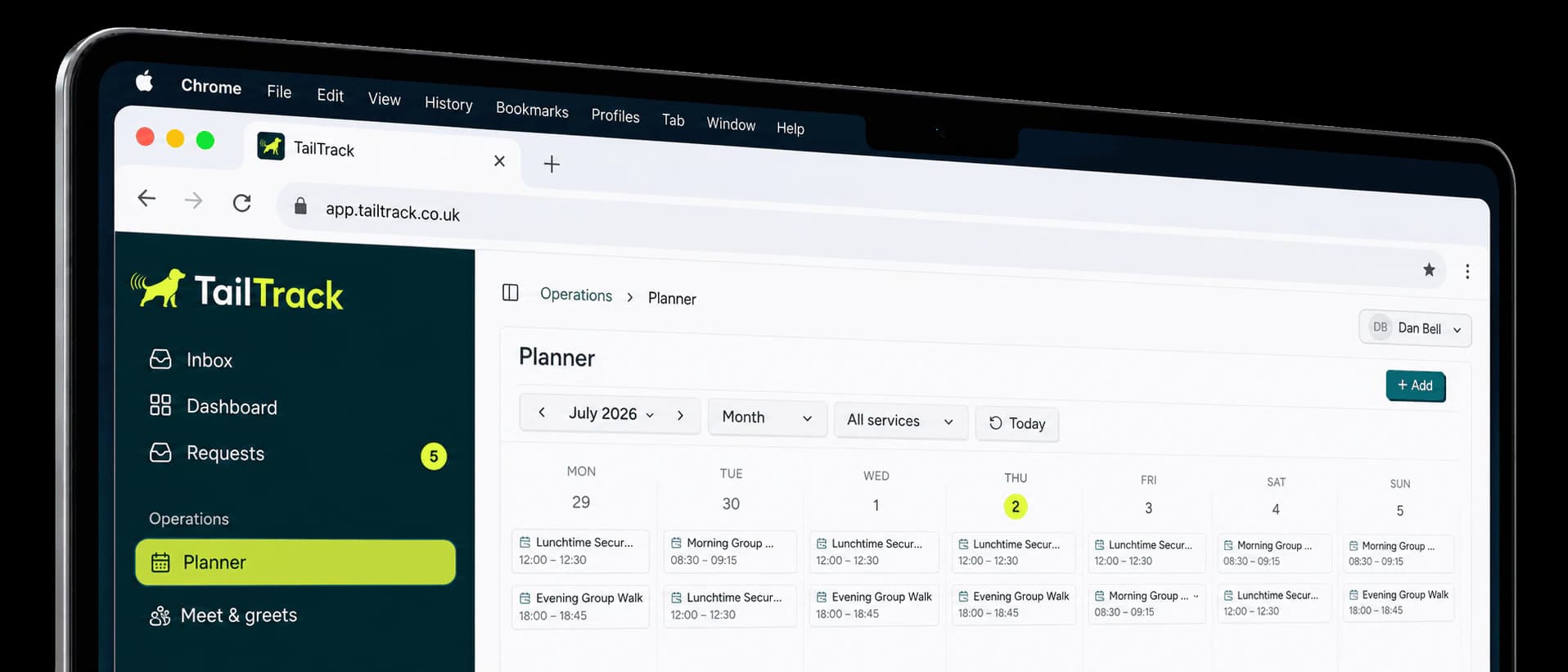
TailTrack monthly planner for pet-care businesses
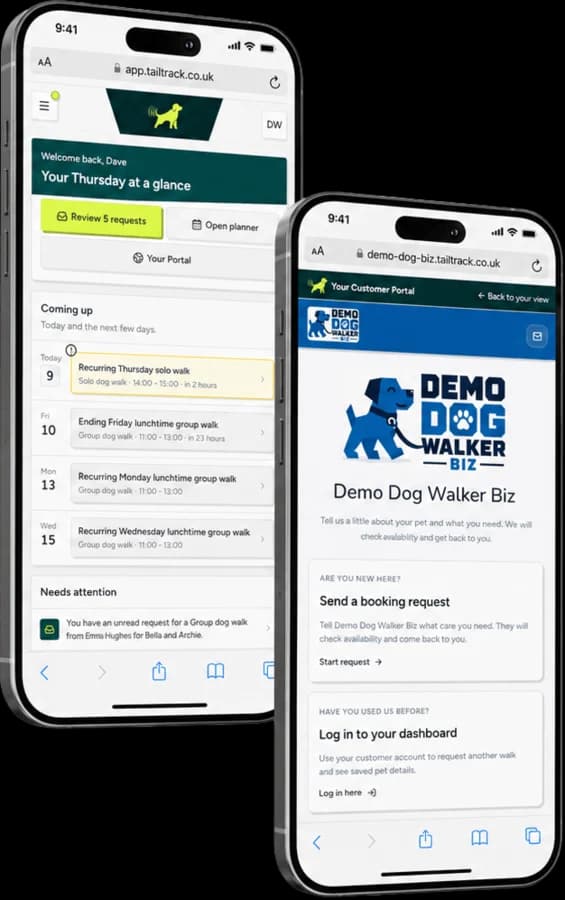
TailTrack branded client portal on a phone

TailTrack

A booking and client-management platform for independent pet-care businesses.

  • Product strategy
  • UX/UI design
  • Full-stack development
  • Client portal
The challenge
Pet-care businesses needed a clearer way to manage booking requests, recurring rounds, customer details and care records without treating each as a separate process.
What we built
A SaaS platform with branded booking forms, business-controlled approvals, one-off and recurring scheduling, connected pet and customer records, payment tracking and a secure client portal.
The result
A live product that brings the customer journey and the day-to-day operation into one connected system, with a foundation for ongoing development.
Read the TailTrack case study

Software development in Newcastle, Northumberland and across the UK

Lineup Digital is based in Prudhoe, Northumberland, near Newcastle upon Tyne. We work with businesses across Newcastle, the wider North East and throughout the UK.

Being nearby can be useful when a software project benefits from sitting down with the people who use the process every day. It is not a requirement, though. Discovery, design reviews, testing and ongoing development can all work remotely, so the important factor is whether we understand the problem and can work well with the people involved.

If you are looking for a software developer in Newcastle or the North East, you do not need to have the solution worked out before getting in touch. Showing us the current process, the workarounds and the parts that keep causing problems is usually a better place to start.

Common questions about custom software development

Let's talk...

Tell us what you'd like to improve. Zero jargon. Zero commitment.